Tool · Windows
Every drop, priced.
While you play.
The poe2.ai overlay reads your Ritual boards, Runeshape rewards and inventory on screen and prices them from live poe2scout data — then tracks what every juiced map actually earns, net of its cost.
Installer, no admin needed · free · MIT open source · display-only (no game automation) · portable zip · all versions
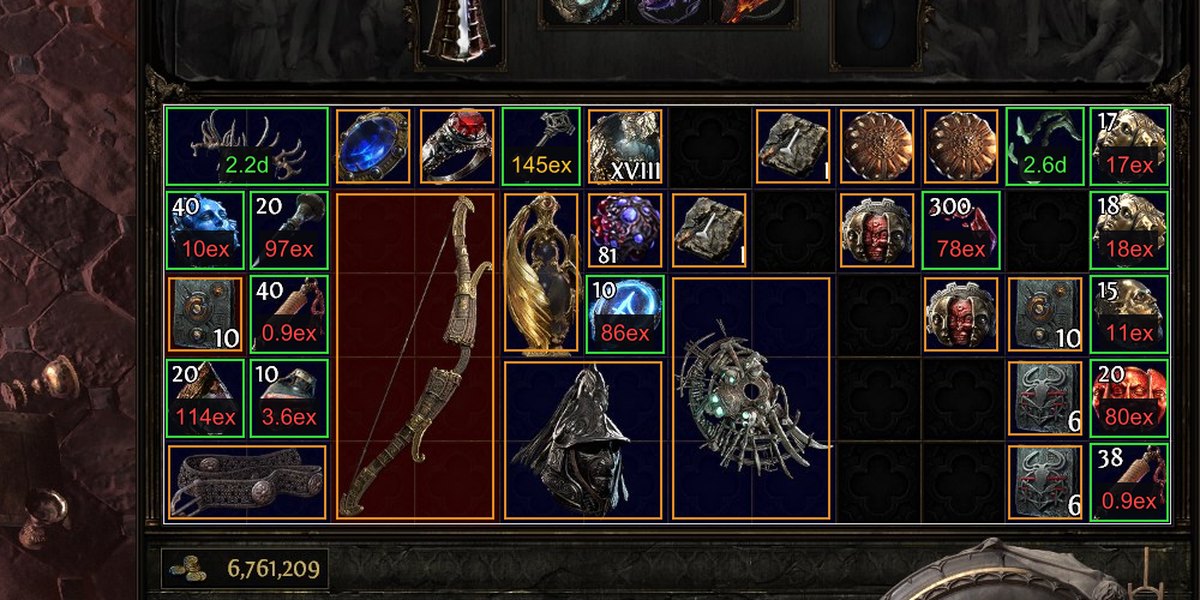
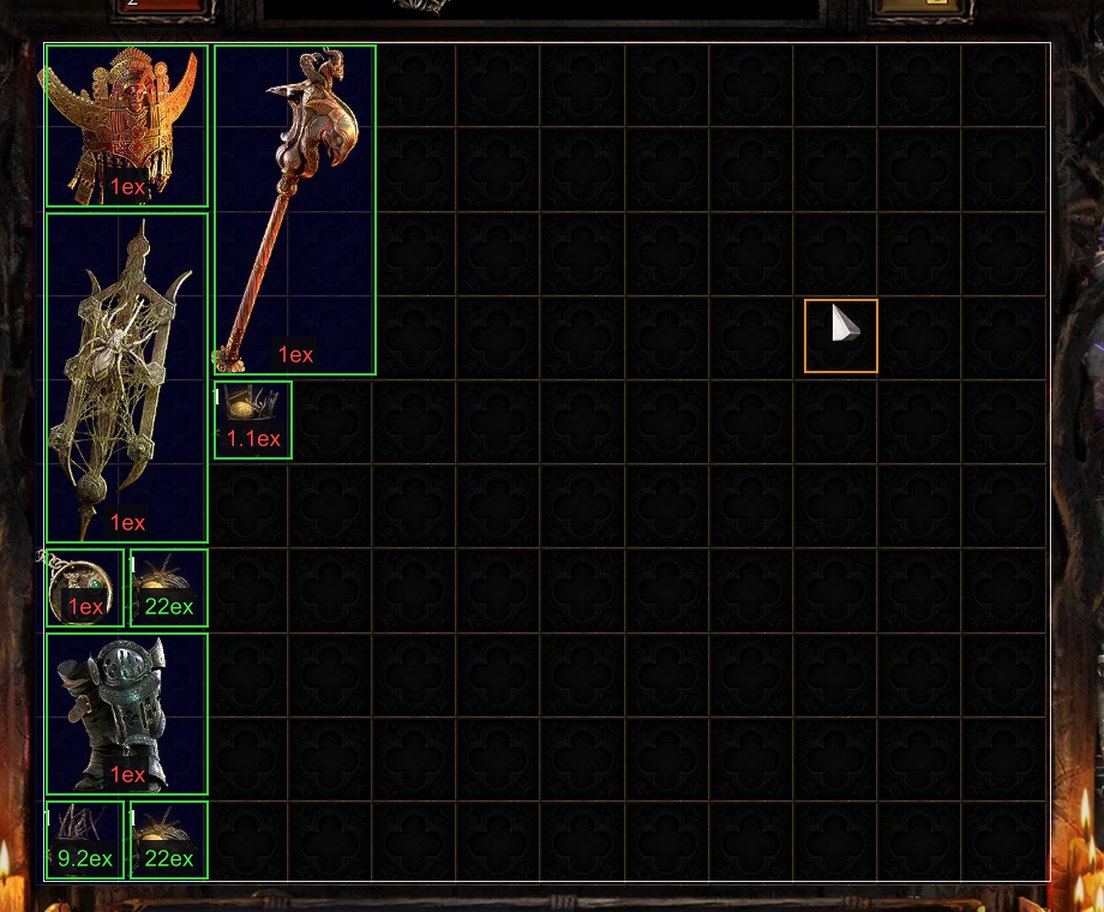
Ritual, hands-free
Open a Ritual board and every reward gets a live price label. No hotkey, no tabbing out — it updates as you defer and reroll.
Runeshape rewards
Reward lists are read by OCR and priced per row, stack quantities included — the panels other price checkers can't see.
Inventory pricing
Open your backpack and stacks, currency, idols and uniques are identified by icon and priced in place.
Rare item appraisal
Hover any rare and press Ctrl+Shift+D: its mods become a live trade search and you get the market's answer, with a tunable companion window.
Map-run profit tracker
Snapshot your inventory before and after a map — the diff is your loot, priced. Waystone and tablet costs are priced from the trade market automatically, so ROI is net of the juice.
Strategy analytics
Which waystone mods pay? Which tablets? Sustain vs jackpot decomposition built for belt-hunting strategies: self-funding rate, runs-per-jackpot, per-mod breakdowns.
Getting started
- 1Run the installer (no admin needed) and launch from the Start Menu — or grab the portable zip and run the exe from anywhere. Settings and caches live in %APPDATA%\path-of-price-2.
- 2Set Path of Exile 2 to Windowed or Borderless (exclusive fullscreen blocks screen capture).
- 3Play. Ritual boards, Runeshape rewards and your inventory price automatically. Optional: sign in once from the hub window to enable rare-item and waystone market pricing.
Hotkeys
Is this allowed?
Display-only by design. The overlay reads your screen and the item text the game itself puts on your clipboard when you press Ctrl+C. It never reads game memory, never touches network traffic, and never presses buttons for you — the same approach as the community's established trade overlays.
Open source. MIT licensed — the entire detection and pricing stack is auditable on GitHub. Prices come from poe2scout and the official trade site.
Free. If it makes you currency, a donation is appreciated — but nothing is paywalled.